ProTiming
Play Store Become a Tester

Built for finish-line precision

Capture the exact moment that decides the race.

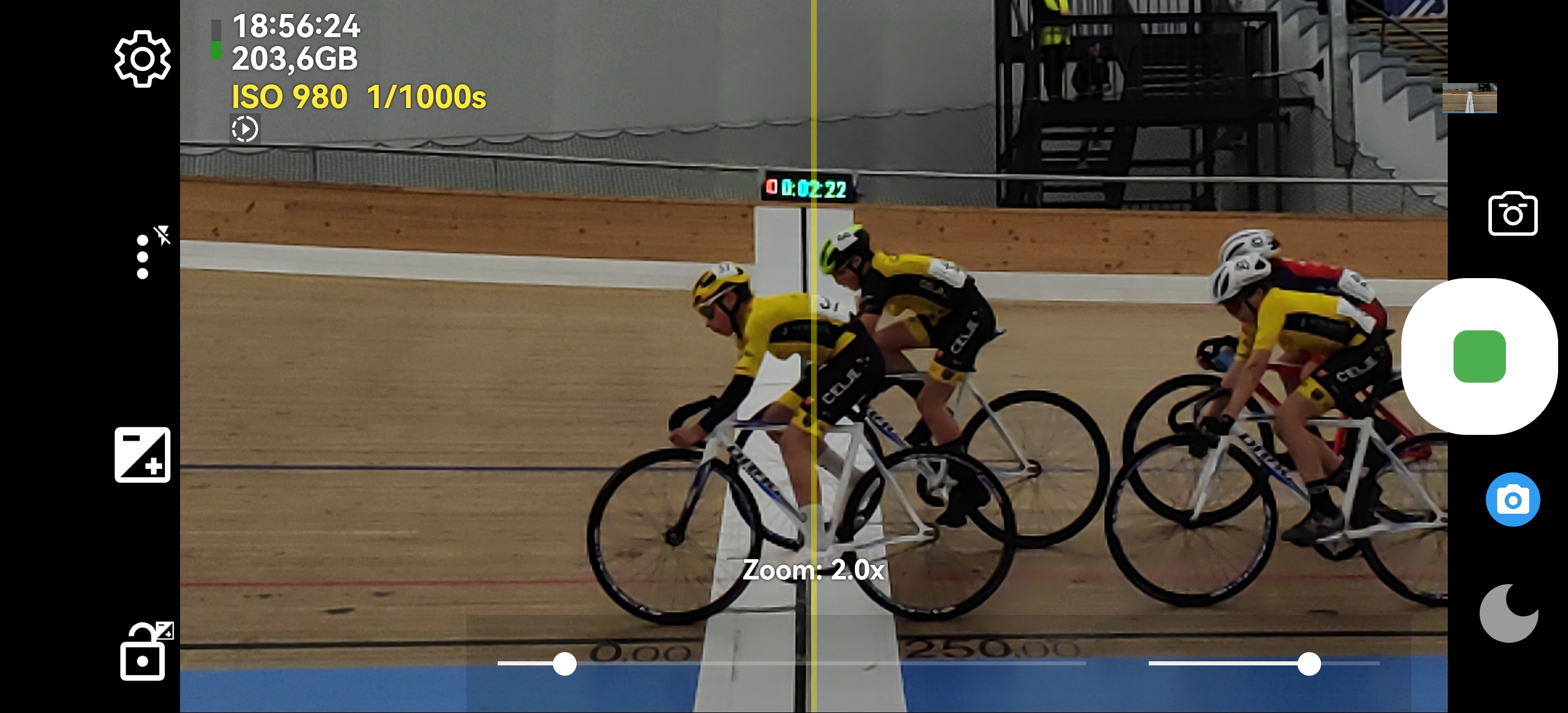
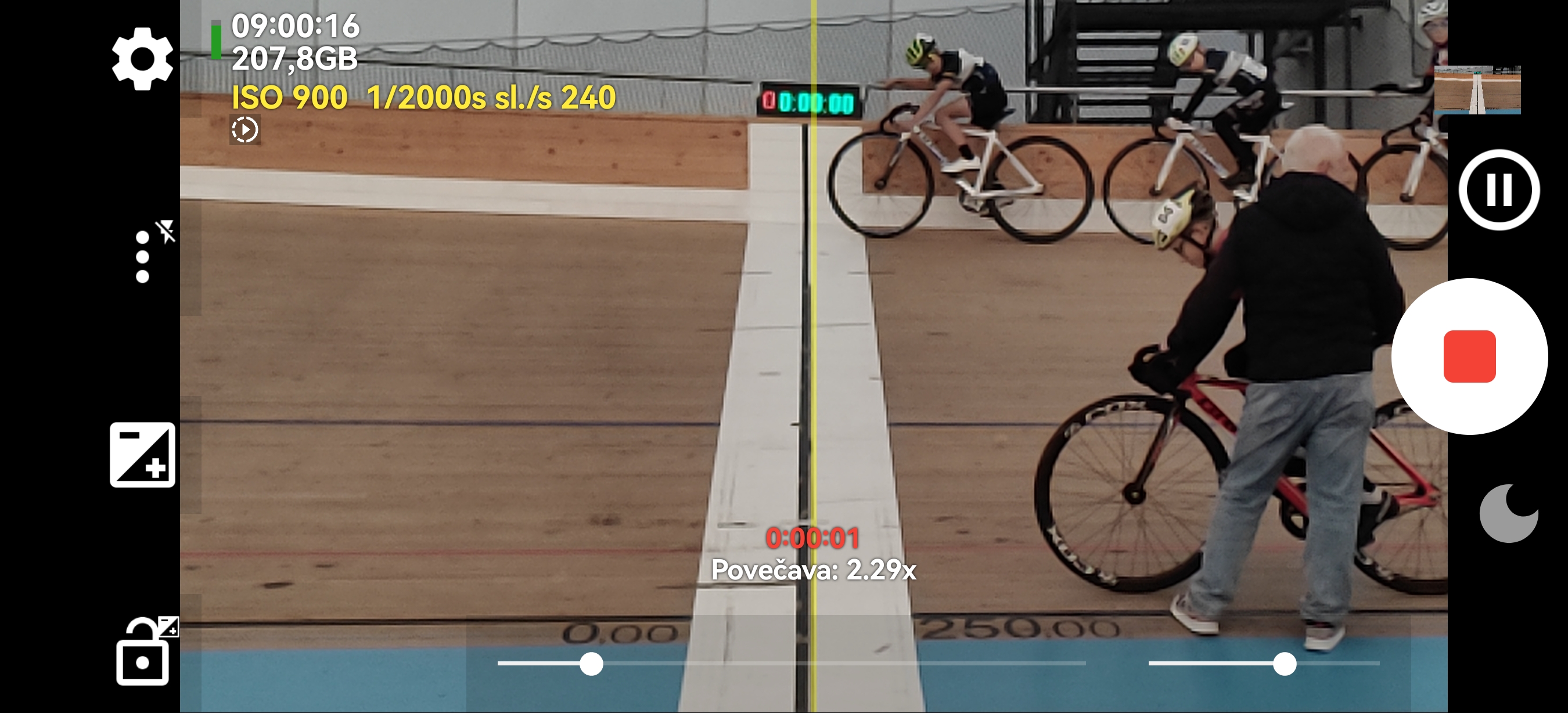
Photo Finish Camera gives cycling clubs, coaches, and race officials a fast workflow for high-accuracy finish analysis: high-speed slow motion recording, full manual exposure control, and a vertical on-screen alignment line on the target line.

Slow motion capture Manual ISO + shutter Vertical finish-line guide
Race finish captured with vertical line overlay
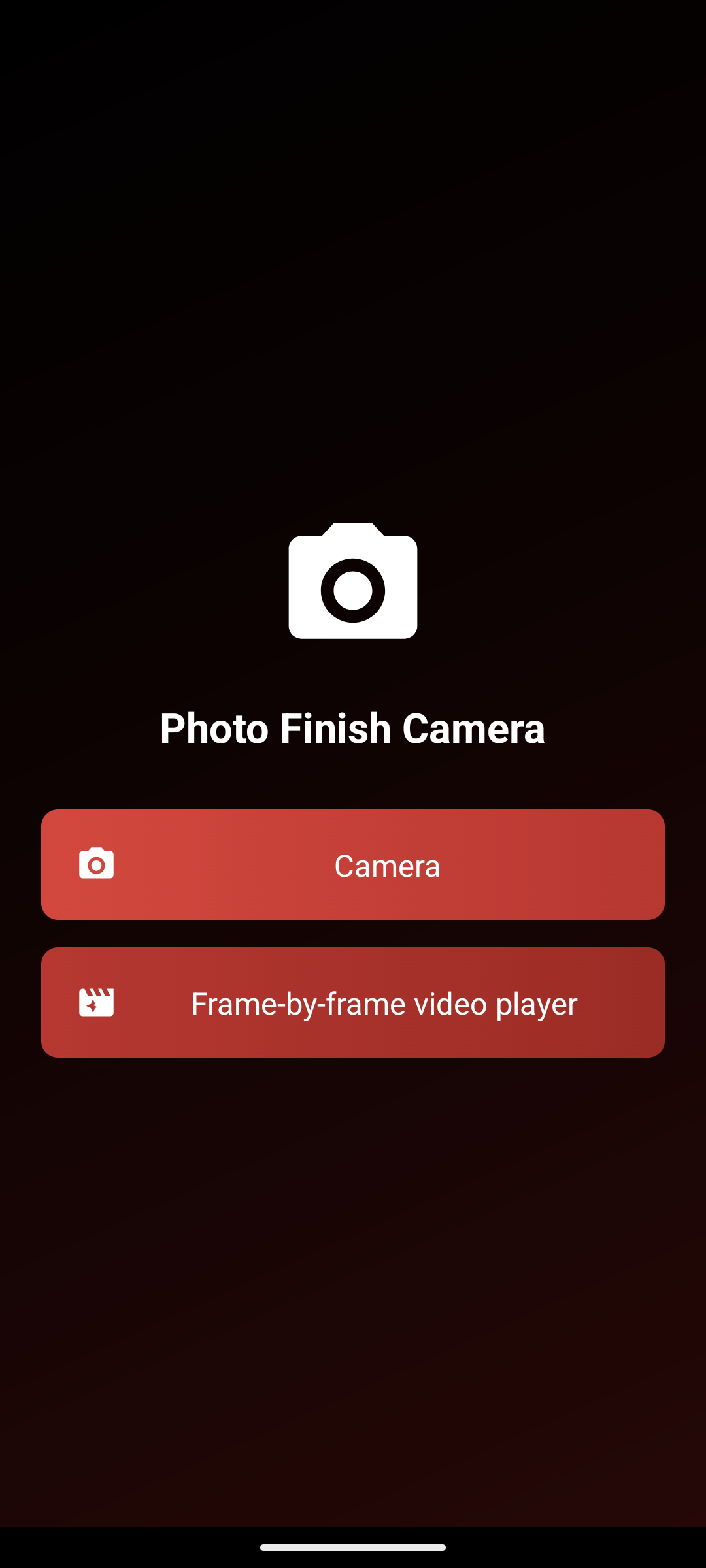
Photo Finish Camera home screen

240 fps mode

Record fast sprint finishes and replay decisive frames in slow motion.

Manual exposure

Adjust ISO and shutter speed for stable, repeatable image quality in indoor tracks and changing light.

Finish-line overlay

Align the vertical guide line directly on the target line for consistent, comparable recordings.

Closed testing

Join the Photo Finish Camera tester group

Join the Google Group with your tester Google account, then open the Play listing to install the closed test build.

Promo video

1-minute race analysis showcase

Consecutive frame proof

Visual evidence at 240 fps

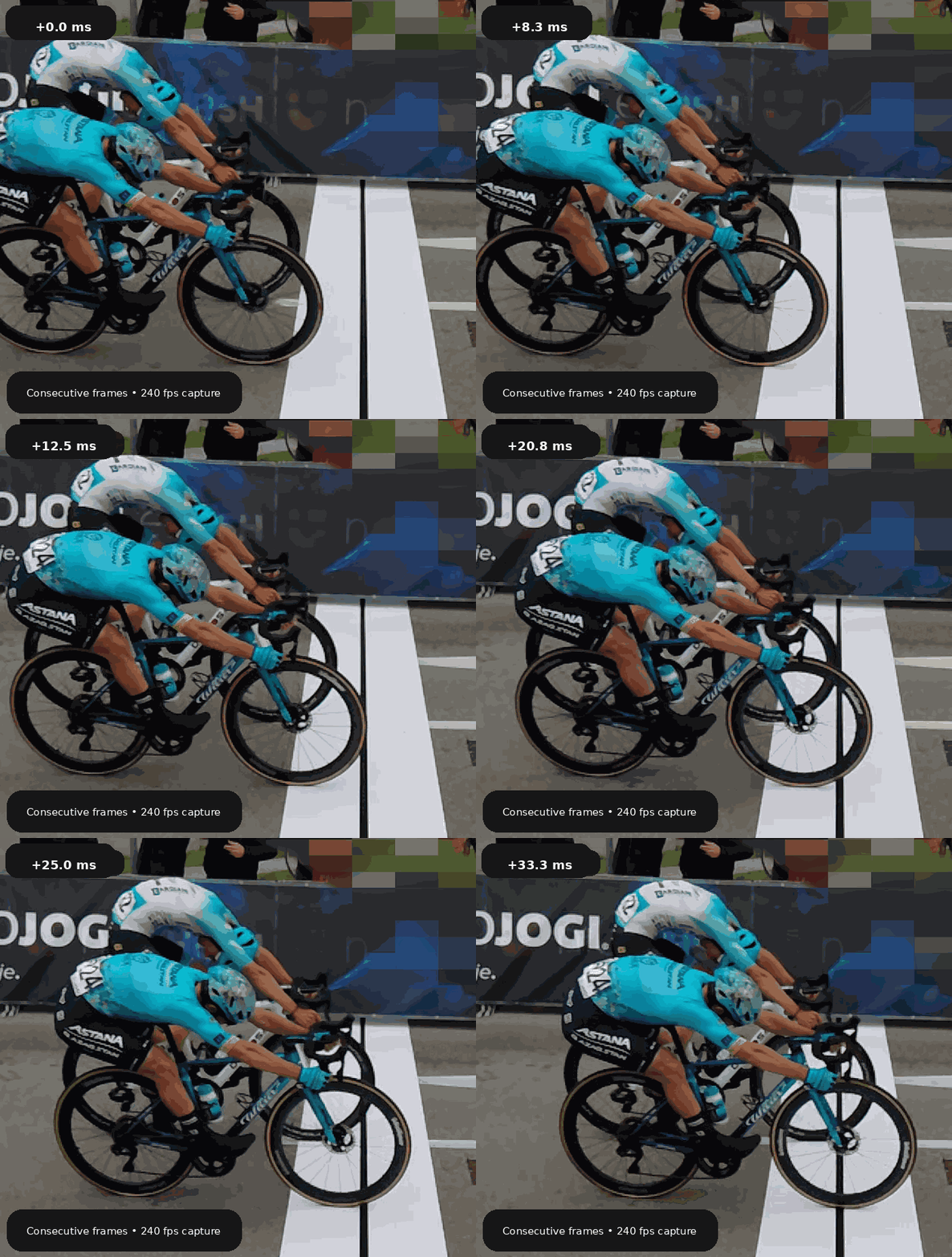
Animated 240 fps consecutive finish-line frames
Animated consecutive frames (240 fps)
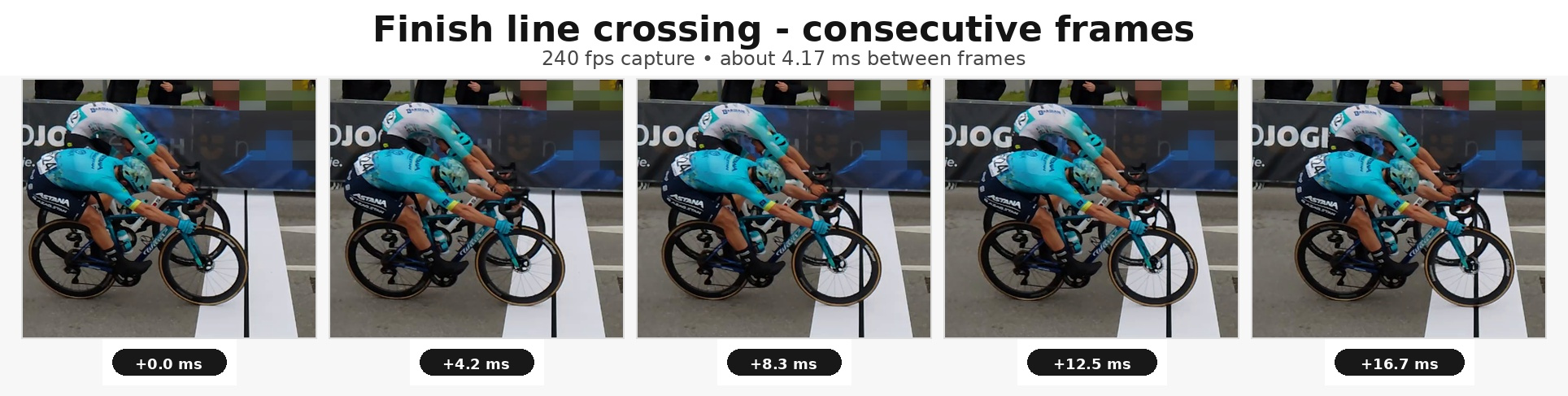
Five close-up consecutive finish-line frames at 240 fps
5 close-up frames with timing labels
Nine consecutive finish-line frames at 240 fps
9-frame sequence (~4.17 ms between frames)

Core capabilities

Designed for race-day decisions

Two riders crossing the finish line in slow motion

Slow Motion Recording

Capture high-speed action and inspect the order of riders with clear frame-level playback.
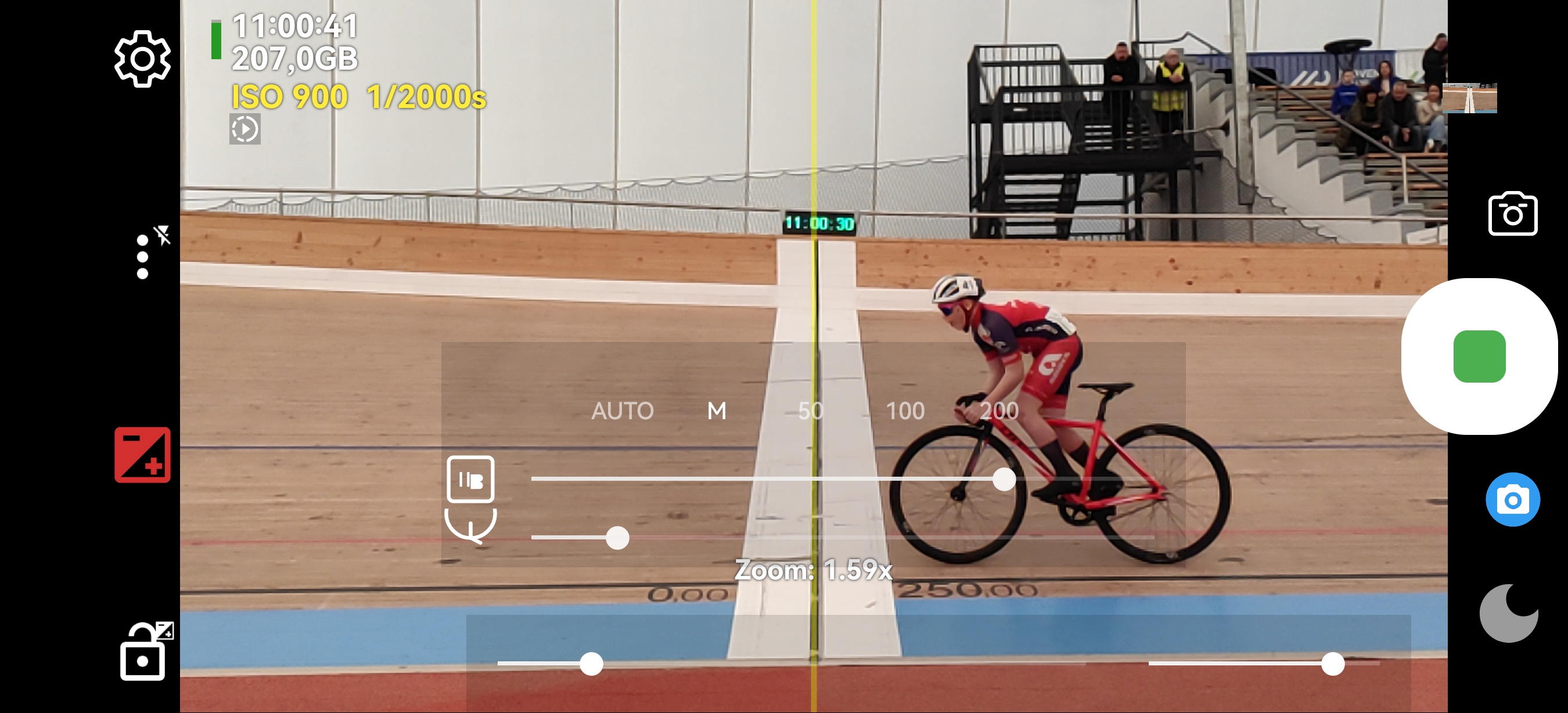
Manual ISO and shutter controls in the camera preview

Manual ISO and Shutter

Use Camera2 manual controls to lock exposure and reduce flicker or blur in demanding conditions.

How to use

Race-day guide on one page

Use this workflow for finish-line backup and bib-number verification. The guide below is integrated directly into this site, so the key setup steps are always one tap away.

Before you record

Mount the phone on a stable tripod and keep external power connected whenever possible. For long events, this keeps recording consistent and reduces risk of battery drop during decisive moments.

When recording from the side or from above, align the virtual center line with the real finish line before each race block.

Photo Finish Camera home screen and quick setup

Scenario A: Finish-line backup

Use the highest useful frame rate when close decisions are expected. On supported devices, 240 fps gives the best frame separation for tight sprint finishes.

Enable manual focus to avoid focus hunting and keep the crossing zone sharp from first to last rider.

Manual focus, slow motion, and center-line controls

Scenario B: Bib-number verification

Position the camera from front or rear based on bib visibility. For bib verification, lower frame rates can be enough, but keep shutter speed fast for readability.

Use zoom review after recording to confirm numbers in crowded arrivals.

Zoomed bib-number inspection

Main screen controls

Keep these controls visible and ready: speed/frame-rate selection, manual focus, shutter/ISO, and quick stand-by.

  • Manual focus slider for stable sharpness
  • Shutter + ISO for motion clarity
  • Vertical finish-line guide for alignment
  • Fast switch between recording and review
Annotated control overview

Shutter speed and ISO

For close cycling finishes, start around 1/1000 s. For running, 1/800 to 1/1000 s is usually a strong range depending on light and athlete speed.

Keep shutter speed fast, then use ISO to reach usable brightness while preserving bib and edge detail.

Shutter speed and ISO controls

Stand-by mode

Use stand-by between groups to reduce battery drain and heat. This is especially important during long events with repeated high-frame-rate recording.

Wake the app quickly and continue with the same camera setup.

Stand-by mode screen

Frame-by-frame review

Review clips directly on phone when no computer is available: step frame by frame, scrub to the decisive segment, and zoom for close calls.

This is critical for both finish-order confirmation and bib-number verification.

Frame-by-frame review interface

Recommended race-day workflow

  1. Mount phone on tripod and align virtual center line.
  2. Set manual focus and a fast shutter speed.
  3. Adjust ISO for available light.
  4. Record each group as a separate clip when possible.
  5. Review frame by frame and zoom where needed.
Use highest useful fps when order is critical.
Use lower fps when goal is mainly bib verification.
Keep settings visible on-screen during setup.
Use stand-by during waiting periods.

How it works

Three steps to a clean finish review

  1. Align the finish line

    Place the vertical guide directly over the real finish line in the preview.

  2. Record in high speed

    Use slow motion mode and manual ISO/shutter to keep details readable.

  3. Review frame by frame

    Analyze the crossing moment and share evidence with coaches, athletes, or officials.